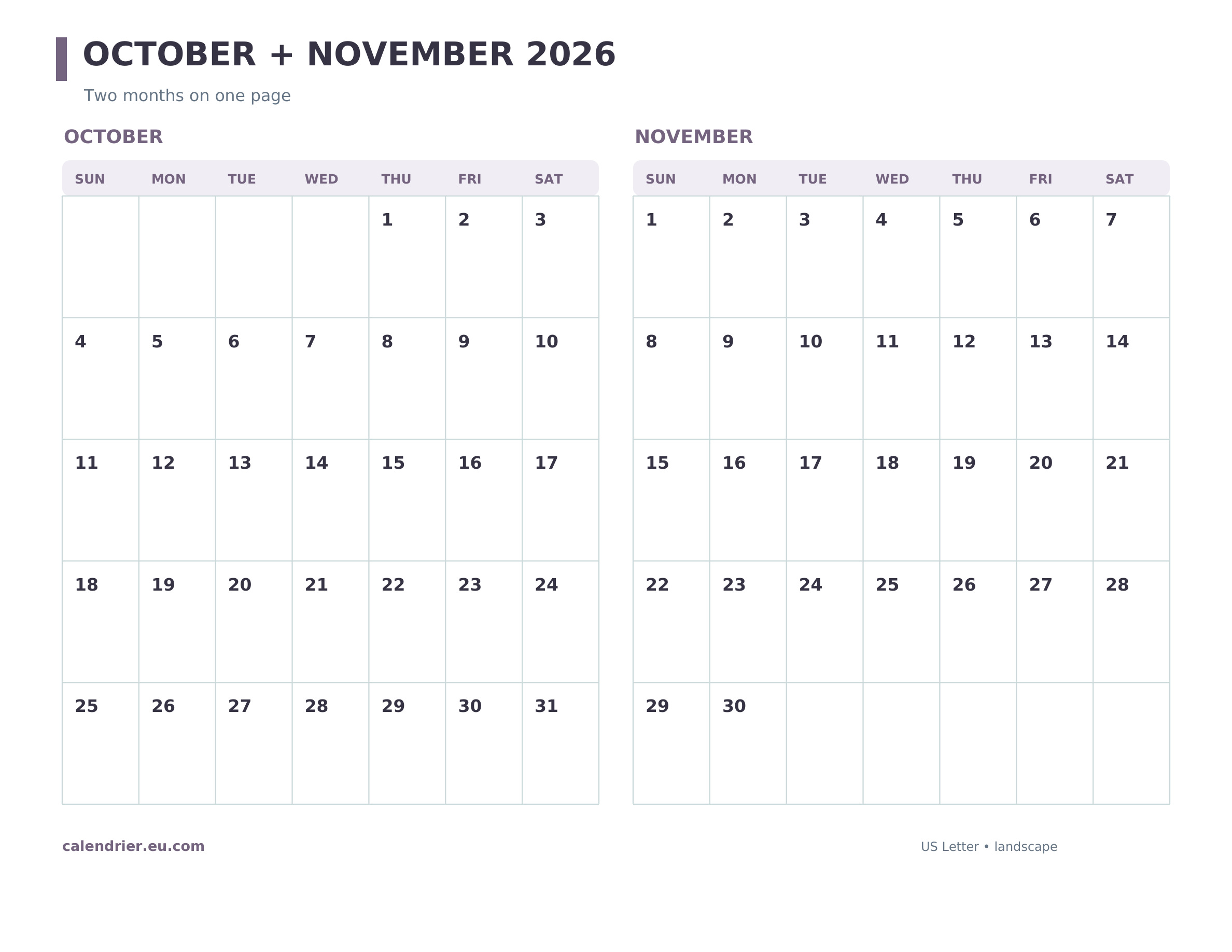
A printable October and November 2026 calendar keeps two consecutive months on one US Letter landscape page. Use it for a plan that begins in October and carries into Thanksgiving week, a school term, travel, or a project deadline. The two grids sit side by side, with correct Sunday-start dates in both months.
Print or save: Download the US Letter PDF · Open the high-resolution JPG.
How the two months align
October 1, 2026 is a Thursday and October 31 is a Saturday. November 1 is the next day, a Sunday. This makes the handoff between the two grids particularly easy to follow: the last October row ends with Saturday the 31st, and the first November row begins with Sunday the 1st. November ends Monday the 30th.
Planning across the boundary
Mark a final October milestone on the left, then draw a short arrow to the related November step on the right. For example, put an October 30 school deadline beside a November 2 follow-up, or plan a trip booked in October that takes place in November. Keeping both months on one sheet helps when a single-month page hides preparation time.
Key November dates for a two-month plan
Veterans Day is Wednesday, November 11, and Thanksgiving is Thursday, November 26, on the federal schedule. They are not preprinted in this neutral grid, leaving room to add only closures that affect you. Most U.S. locations end daylight saving time Sunday, November 1. Check local rules before planning an early-morning trip.
Print the October–November 2026 calendar
- Open the PDF link and choose US Letter, landscape.
- Print at actual size or 100%, checking the preview for both grids.
- Use the JPG for a quick look on a phone or tablet. The PDF prints sharper lines.
Each date box is smaller than in a one-month calendar. Use brief labels here and move detailed notes to a separate page. For wider boxes, see the November 2026 calendar template.
Is this one PDF or two pages?
It is one landscape PDF page containing both months. If you need November on its own, visit the main November 2026 printable calendar page for three single-month designs and links to other formats.
Example: prepare before a November event
Suppose an event is on November 11. Put the registration deadline in the October grid, the final confirmation in early November, and the event date in the November grid. You can see the sequence without flipping between two sheets. The same method works for bill cycles, a school project, or travel bookings. Reserve longer details for a notebook; this two-month page is strongest as an overview.